Practical spreadsheets and data
Merge CSV files in Python without repeated headers or damaged fields
Combine small UTF-8 CSV files with one header, validate the inputs before writing, and check a four-record example that keeps zeros, long IDs and quoted notes.
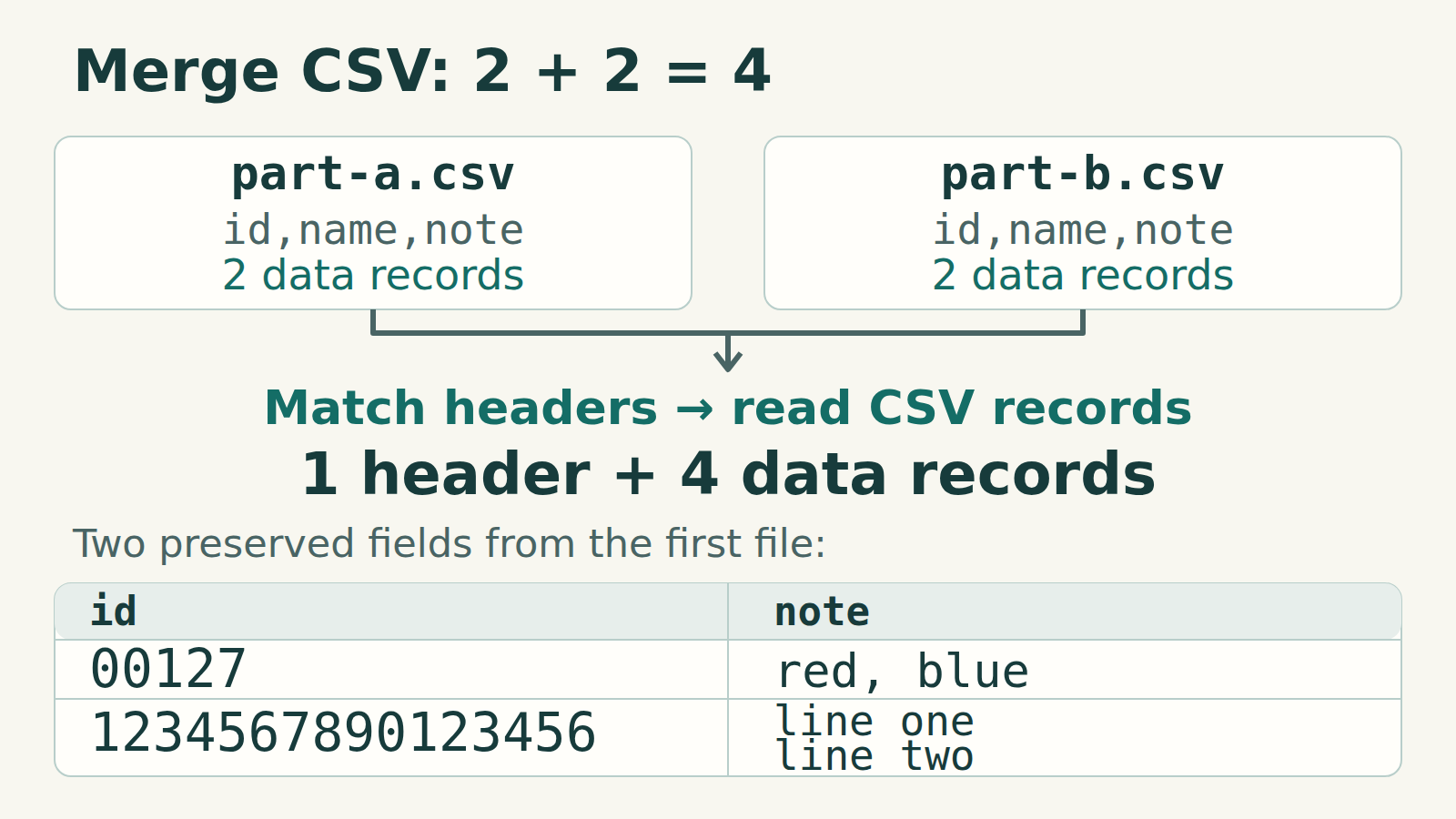
Append records from files with the same columns
Use Python’s csv reader and writer, check every input header, then write the header once. The script below keeps field values as text, including leading zeros and long identifiers. It appends records vertically; it does not join tables by an ID or remove duplicate business records.
This is for two or more small UTF-8 files, with or without a UTF-8 BOM, using commas between fields and double quotes around quoted fields. Confirm that format first. The parsed data must fit comfortably in memory; this is not a streaming recipe for large exports. Each file needs the same nonblank, unique column names in the same order.
1. Save two small check files
Save these as plain UTF-8 text in one folder. Keep the line break inside Bo’s quoted note. Each file has a header and two data records, although part-a.csv occupies four physical lines. The identifiers and names are fictional.
part-a.csv
csv
id,name,note
00127,Анна,"red, blue"
1234567890123456,Bo,"line one
line two"
part-b.csv
csv
id,name,note
00009,Chen,"He said ""yes"""
1234567890123457,Дина,ready
2. Save and run the complete script
Save the following as merge_csv.py in the same folder. It uses only Python 3’s standard library. It reads and validates all inputs before creating the output; a rejected input therefore leaves no new output file. Existing output files are refused. Do not modify the inputs while it runs.
merge_csv.py
python
import csv
import sys
from pathlib import Path


def merge(output, names):
    target = Path(output).resolve()
    inputs = [Path(name).resolve(strict=True) for name in names]
    if len(set(inputs)) != len(inputs):
        raise ValueError("An input path was listed twice")
    if target in inputs or target.exists():
        raise ValueError("Output must be a new file, separate from inputs")
    header, rows = None, []
    for path in inputs:
        with path.open(encoding="utf-8-sig", newline="") as source:
            reader = csv.reader(source, delimiter=",", strict=True)
            try:
                current = next(reader, None)
                if not current or any(not name.strip() for name in current):
                    raise ValueError(f"{path.name}: missing or blank header")
                if len(set(current)) != len(current):
                    raise ValueError(f"{path.name}: duplicate column name")
                if header is None:
                    header = current
                elif current != header:
                    raise ValueError(f"{path.name}: headers differ in name/order")
                for row in reader:
                    location = f"{path.name}: physical line {reader.line_num}"
                    if not row or len(row) != len(header):
                        raise ValueError(f"{location}: blank row or wrong field count")
                    if row == header:
                        raise ValueError(f"{location}: repeated header inside file")
                    rows.append(row)
            except csv.Error as error:
                raise ValueError(f"{path.name}: line {reader.line_num}: {error}") from error
    with target.open("x", encoding="utf-8", newline="") as destination:
        writer = csv.writer(destination, delimiter=",")
        writer.writerow(header)
        writer.writerows(rows)
    print(f"Wrote {len(rows)} data records from {len(inputs)} files to {target.name}")


if __name__ == "__main__":
    if len(sys.argv) < 4:
        sys.exit("Usage: python3 merge_csv.py output.csv input-a.csv input-b.csv [...]")
    try:
        merge(sys.argv[1], sys.argv[2:])
    except (OSError, UnicodeError, ValueError) as error:
        sys.exit(f"ERROR: {error}")
Run from the folder containing the three files
text
python3 merge_csv.py merged.csv part-a.csv part-b.csvChoose the output name and inputs explicitly
The first filename is the new output; the remaining filenames are inputs in the desired record order. List each input once and quote paths containing spaces. Do not substitute *.csv: an old output could become an input. On Windows, use py -3 instead of python3 if that is your installed Python launcher.
Successful output
text
Wrote 4 data records from 2 files to merged.csv3. Check the result as CSV records
The result has three columns, one header and four data records. Its six physical lines are expected: one note contains a line break. The values 00127, 00009, 1234567890123456 and 1234567890123457 must remain exact. Анна and Дина must remain readable; Bo’s note stays one field, and Chen’s note reads He said "yes".
merged.csv: expected text
csv
id,name,note
00127,Анна,"red, blue"
1234567890123456,Bo,"line one
line two"
00009,Chen,"He said ""yes"""
1234567890123457,Дина,ready
What the script checks
- A later file’s header must match the first exactly, including column order, case and spaces. The script does not rearrange columns.
- A blank CSV record or a record with the wrong number of fields stops the merge. Empty fields are allowed: ,, is a three-field record. A normal final line ending is not an extra blank record.
- A record equal to the header inside a file stops the merge for inspection. Only the first record of each input is treated as its header; matching data is never silently deleted.
- strict=True rejects parser errors such as an unfinished quoted field or unexpected text after a closing quote. It is not a complete CSV-format validator: Python can accept a quote inside an unquoted field.
- UTF-8 decoding errors stop the merge. utf-8-sig removes an optional BOM at the start of each input; the output is UTF-8 without a BOM.
Why use a CSV parser?
Simple concatenation repeats the input headers. Splitting text at every comma or line break loses the distinction between a separator and content inside a quoted field. newline="" lets the csv module handle line endings; the writer quotes fields when needed. The output preserves parsed field values, not the original choice of quoting or record line endings.
No numeric conversion is requested, so the reader returns strings. This protects identifiers during this merge. Opening the result in a spreadsheet can still trigger that application’s conversions; import identifier columns as text when using Excel.
Finish only after success
For your real inputs, check that the reported record count equals the sum of their data records, then inspect several known identifiers and quoted notes. Keep the original files. A reported error, interruption or disk-write failure means the result is not accepted: a failure during writing can leave a partial file, and the script will refuse to overwrite it on the next run. Inspect it and choose a new output name before retrying.
We ran this exact script on Python 3.12.3: the two-file example and 29 assertions passed, including rejected headers, row widths, quoting errors, invalid UTF-8 and overwrite attempts. We also checked BOM input, empty fields and a quoted CRLF. No spreadsheet application was run. Files with different schemas, encodings or delimiters need an explicit conversion plan before this recipe.